See how a page works.
Make it better.
Find the font under your cursor, inspect how the page is built, and try changes in place. Turn what you learn into an actionable review or a build brief.

Get FontLens for your browser
-

-

-

Firefox
Firefox Add-ons · Coming soon
-

Safari
Mac App Store · Coming soon
Also available for manual install
 Brave
 Arc
 Opera
Install manually on desktop
- Download the ZIP and unzip it. You’ll get a folder called
fontlens-chrome. -
Open your extensions page, turn on Developer mode, and choose Load unpacked. Pick that folder.
chrome://extensions - Click the FontLens icon on any site, or press Alt Shift F. To use Pro or spend credits, choose Connect to FontLens and approve this browser.
The free download works in compatible Chromium 116+ browsers. Paste the extensions address above into your browser’s address bar.
Keep your work moving.
Inspect for free. Pro adds design exports, asset downloads, AI handoff and responsive preview, with cloud credits included.
Signed in as
Open your accountHover. Read. Copy.
Point at any text to see the font that actually rendered, not just the stack. Size in px and rem, weight, line height, tracking, cap height, text and background color, and a WCAG contrast rating that knows about large text.
Click to pin, then copy the font CSS, every meaningful computed style, a selector or the HTML. Force :hover and :focus without touching the mouse.
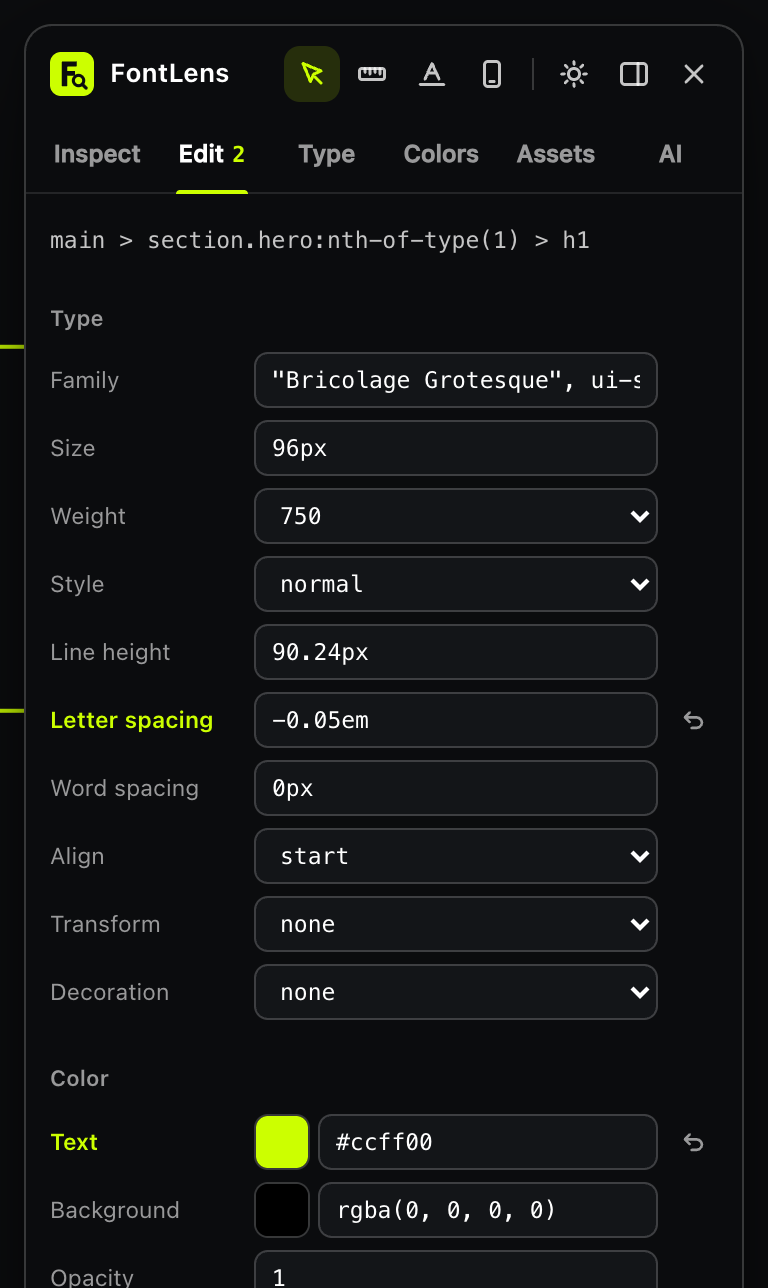
Improve the page you’re looking at.
- Sharpen the copy
- Highlight a headline or button label and get alternatives tailored to your goal.
- Decide what to fix
- Review typography and layout, check for accessibility issues, tighten the path to a conversion, or improve on-page SEO.
- Get it ready to build
- Turn measured styles into a build prompt, design tokens, a DESIGN.md or a React component.
Hosted AI is opening soon.
Sign in and connect your browser. Each successful AI run uses one credit.
- Current headline
- Make feedback easier.
- Goal
- Make it clear what the tool helps design teams do.
- Suggested headline
- Keep design feedback in one place.
The whole page, extracted.
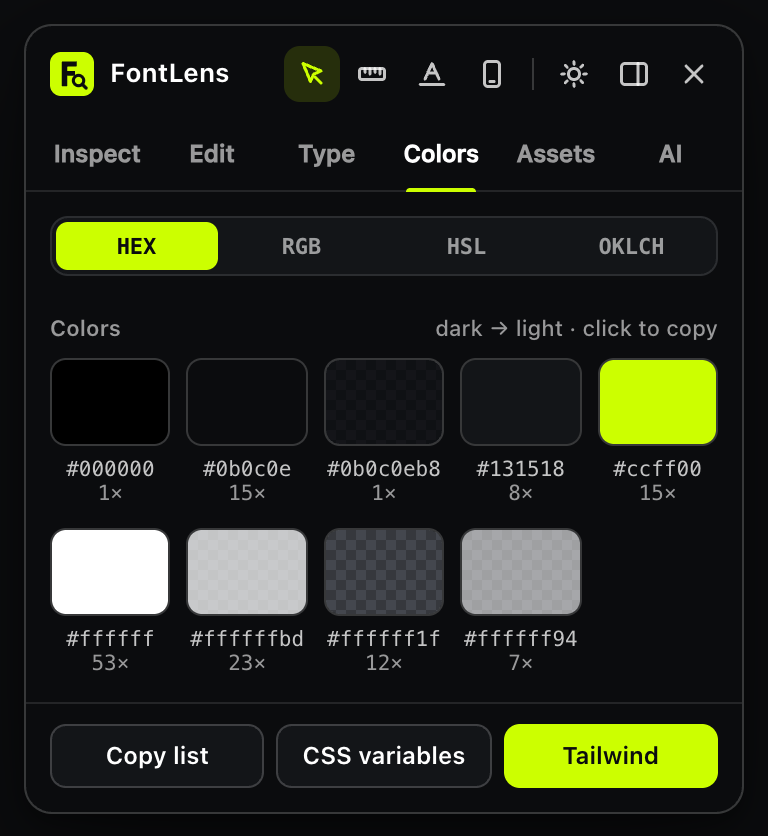
Every font in use and the type scale it forms. The palette in HEX, RGB, HSL or OKLCH, exported as CSS variables or Tailwind. Every image, SVG, font and video, downloaded as one zip.
Try the site’s real breakpoints with responsive preview. Export a measured build brief for the AI builder you already use.
It runs only where you ask.
- No access by default
- FontLens has no permission to read any site. It can see a tab only after you click its icon or press the shortcut there.
- Local by default
- Inspection and live edits run in your browser. FontLens doesn’t track the sites you visit.
- You choose what AI sees
- Review the details included with a request before you send it. Suggestions are yours to review and copy.
Start reading the web’s type.
Get FontLens freeGet store launch updates
Leave your email and we’ll let you know when FontLens reaches the Chrome Web Store, Microsoft Edge Add-ons, Firefox Add-ons, and the Mac App Store.
You’re on the list.